Your website loads. Three seconds pass. Nearly half your potential customers have already left. For South African businesses, where mobile data costs remain high and network conditions vary widely, every second of delay translates directly into lost revenue. This guide walks you through proven speed optimization techniques designed specifically for South African market conditions, helping you measure current performance, implement targeted improvements, and maintain fast load times that keep visitors engaged and convert browsers into buyers.
Table of Contents
- Key takeaways
- Understanding website speed and why it matters for your business
- Preparing your site: key prerequisites for effective speed optimization
- Executing speed optimization strategies tailored for South African businesses
- Verifying improvements and maintaining website speed over time
- Boost your online presence with expert website speed and SEO optimization services
- Frequently asked questions
Key Takeaways
| Point | Details |
|---|---|
| Local hosting matters | Hosting that serves South African users reduces latency by keeping servers geographically closer to visitors. |
| Core Web Vitals targets | Focus on LCP under 2.5 seconds, INP under 200 ms, and CLS under 0.1 to guide optimization and SEO. |
| Baseline measurement tools | Use PageSpeed Insights, Search Console CWV, WebPageTest with Cape Town or Johannesburg, and Chrome DevTools to establish baselines. |
| Performance budget guidelines | Set a budget to cap page weight under 1 MB, HTTP requests under 50, and load time under 2 seconds to detect regressions. |
Understanding website speed and why it matters for your business
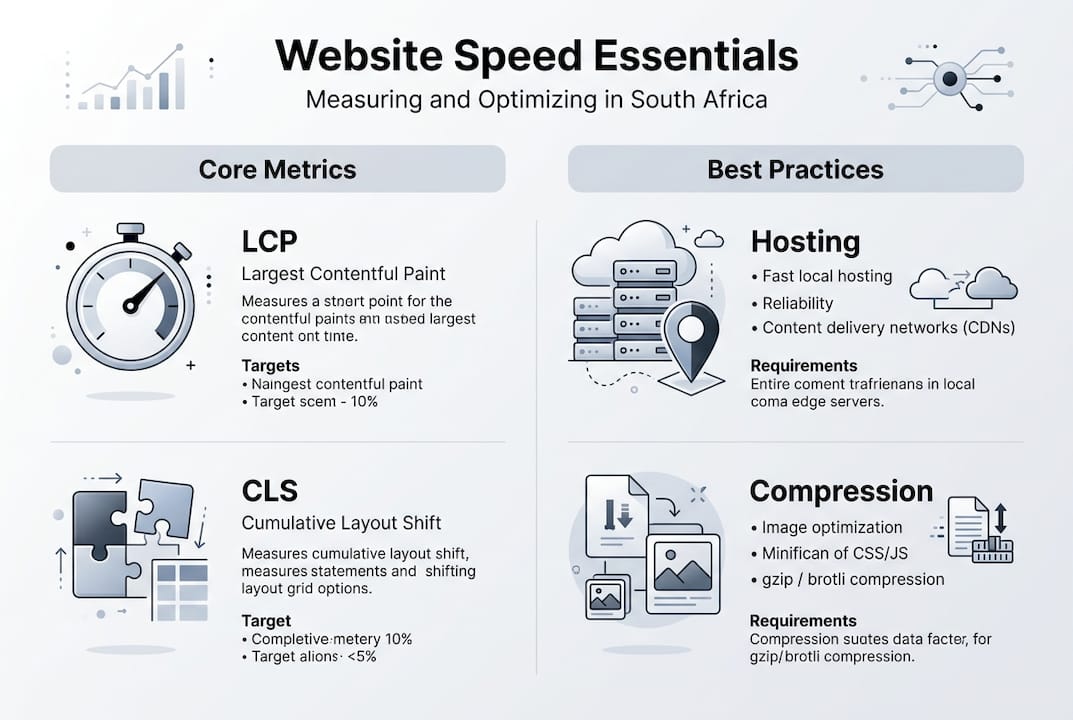
Website speed measures how quickly your pages load and become interactive for visitors. The three Core Web Vitals benchmarks define good performance: Largest Contentful Paint under 2.5 seconds, Interaction to Next Paint below 200 milliseconds, and Cumulative Layout Shift under 0.1. These metrics directly influence your search engine rankings and determine whether visitors stay or bounce.
For South African businesses, speed carries extra weight. Research shows 40% of users abandon sites after 3 seconds, and with high mobile data costs across the country, slow loading pages frustrate users and drain their prepaid bundles. The economic impact is staggering: slow websites cost South African e-commerce roughly R767 million in potential revenue annually.
Speed affects every aspect of your online presence:
- Search engines reward faster sites with higher rankings, giving you competitive advantage
- Users engage more deeply with content that loads instantly, reducing bounce rates
- Conversion rates climb when checkout processes respond immediately to clicks
- Mobile visitors, who represent the majority of South African web traffic, demand sub-2-second load times
- Brand perception improves when your site feels professional and responsive
“Every 100-millisecond improvement in load time can boost conversion rates by up to 1%. For a business generating R100,000 monthly online revenue, that’s an extra R1,000 from speed alone.”
The connection between speed and business outcomes is direct. Faster websites generate more organic traffic through improved SEO, keep visitors engaged longer, and convert more browsers into paying customers. In South Africa’s competitive digital landscape, where users have limited patience for slow experiences, speed optimization is not optional. It’s a fundamental requirement for online success.

Preparing your site: key prerequisites for effective speed optimization
Before implementing speed improvements, you need proper measurement tools and baseline metrics. Start by selecting hosting that serves South African audiences effectively. Local SA hosting cuts latency by keeping servers geographically close to your users, reducing the physical distance data must travel.
Measure your current performance using these essential tools:
- Google PageSpeed Insights for quick Core Web Vitals snapshots
- Search Console CWV reports for real user data over time
- WebPageTest.org configured with Cape Town or Johannesburg test locations
- Chrome DevTools for detailed performance profiling and bottleneck identification
Document your baseline metrics for all three Core Web Vitals. Record LCP, INP, and CLS scores on both mobile and desktop. These numbers become your benchmark for measuring improvement. Without baseline data, you cannot prove optimization efforts deliver results.
Equip yourself with the right optimization tools before starting technical work:
| Tool category | Purpose | Recommended options |
|---|---|---|
| Image compression | Reduce file sizes without quality loss | Smush, ShortPixel, TinyPNG |
| Caching plugins | Store static versions of pages | WP Rocket, W3 Total Cache |
| Minification | Remove unnecessary code characters | Autoptimize, WP Rocket |
| CDN services | Distribute content globally | Cloudflare, BunnyCDN |
| Performance monitoring | Track speed over time | Google Analytics, Search Console |
Pro Tip: Establish a performance budget before making changes. Set maximum acceptable values for total page weight (aim for under 1MB), number of HTTP requests (under 50), and load time (under 2 seconds). This budget helps you catch regressions when adding new features or updating plugins. Monitor your budget monthly and reject changes that push metrics beyond acceptable limits.
Your preparation checklist should include verifying hosting response times stay under 200 milliseconds, confirming SEO-friendly website architecture supports fast crawling, and ensuring your theme does not load excessive CSS or JavaScript. These prerequisites create the foundation for successful optimization work.
Executing speed optimization strategies tailored for South African businesses
With measurement tools ready and baselines documented, implement these proven optimization tactics systematically:
-
Switch to local hosting and enable CDN delivery. Move your site to a South African data center or use hosting with local points of presence. Configure a content delivery network to cache static assets closer to users across multiple regions.
-
Compress and resize images aggressively. Images typically account for 50-70% of total page weight. Use tools like Smush or ShortPixel to achieve up to 80% file size reduction without visible quality degradation. Resize images to actual display dimensions rather than scaling large files with CSS.
-
Implement multi-layer caching. Enable browser caching so returning visitors load pages from local storage. Activate page caching to serve pre-generated HTML instead of processing PHP on every request. Configure server-level caching for maximum performance gains.
-
Minify CSS and JavaScript files. Remove whitespace, comments, and unnecessary characters from code. Combine multiple files where possible to reduce HTTP requests. Enable GZIP or Brotli compression on your server to shrink file transfer sizes by 60-80%.
-
Apply strategic lazy loading. Only lazy load images below the fold to avoid delaying initial content rendering. Never lazy load hero images or critical above-fold content, as this harms LCP scores and can prevent search engines from indexing important visuals.
-
Preload critical fonts selectively. Limit font preloading to one or two essential typefaces maximum. Include the crossorigin attribute to prevent CORS issues. Excessive font preloading competes with other critical resources and delays LCP.
-
Reduce JavaScript execution time. Implement server-side rendering for dynamic content where appropriate. Use tree-shaking to eliminate unused code from bundles. Offload heavy computations to Web Workers so they run in background threads without blocking the main thread.
| Optimization approach | Aggressive method | Strategic method | Best for South Africa |
|---|---|---|---|
| Lazy loading | All images and iframes | Only below-fold content | Strategic (preserves SEO) |
| Hosting location | Cheapest global option | Local South African servers | Local (reduces latency) |
| Minification | Combine all CSS/JS into single files | Selective bundling with code splitting | Selective (balances caching) |
| Image compression | Maximum compression regardless of quality | Balanced quality at 80-85% | Balanced (maintains UX) |
Pro Tip: Test your optimized site on real South African mobile networks, not just WiFi. Use Chrome DevTools to throttle connection speed to 3G or 4G levels. Consider load shedding scenarios where users may rely on mobile data exclusively. Performance that looks good on office broadband can still frustrate mobile customers on congested networks.
Remember that chasing perfect 100/100 scores often backfires. Overly aggressive optimization can strip away features users value, like product videos or interactive elements. Balance speed improvements with conversion goals. A site scoring 85/100 that converts well beats a 100/100 site with poor user experience.
Integrate these tactics incrementally rather than all at once. Implement one or two changes, measure the impact, then proceed. This methodical approach helps you identify which optimizations deliver the biggest gains for your specific website design and SEO needs. Work with your South African SEO agency to ensure speed improvements align with broader digital marketing objectives.
Verifying improvements and maintaining website speed over time
After implementing optimizations, verify improvements using the same tools that established your baseline. Run Google PageSpeed Insights tests and compare new Core Web Vitals scores against your original measurements. Check Search Console’s CWV report to see how real users experience your improved site over the following weeks.
Real User Monitoring provides accurate insights that lab tests cannot replicate. RUM data shows how actual South African visitors on various devices and network conditions interact with your pages. Configure analytics to track field metrics from mobile users specifically, as they represent your most speed-sensitive audience.
Avoid these common mistakes that undermine optimization efforts:
- Lazy loading all images indiscriminately damages LCP and prevents search engines from discovering important visuals
- Obsessing over perfect lab scores leads to over-optimization that strips away conversion elements
- Ignoring mobile-specific testing misses the experience most South African users actually encounter
- Failing to set performance budgets allows gradual speed degradation as you add features
Maintain your performance gains with these ongoing practices:
- Compress every new image before uploading, making optimization automatic rather than periodic
- Review plugin additions carefully, testing speed impact before keeping new tools
- Monitor third-party scripts like analytics or chat widgets that can slow pages unexpectedly
- Update caching configurations when making significant design changes
- Document speed metrics in a simple spreadsheet to spot trends over months
Establish a verification routine to catch problems early:
-
Measure monthly. Run PageSpeed Insights tests on your top five pages every month. Record scores in a tracking sheet.
-
Analyze real user data. Review Search Console CWV reports quarterly to understand how field performance trends over time.
-
Investigate and fix issues. When scores drop, check server logs for errors, audit recently added scripts, and verify caching still works correctly.
-
Document all changes. Keep notes on what you modified and when, making it easier to identify what caused improvements or regressions.
Troubleshooting slowdowns requires systematic investigation. Check your server logs for 500 errors or timeout issues. Review all third-party scripts and consider removing or replacing slow-loading tools. Verify caching plugins still function after WordPress or theme updates. Test from multiple South African locations using WebPageTest to isolate geographic or network-specific problems.
Work with experienced SEO agencies in Cape Town who understand local market conditions and can provide ongoing monitoring. Professional agency SEO dashboards track speed metrics alongside other performance indicators, giving you comprehensive visibility into your site’s health. Regular audits catch issues before they significantly impact rankings or revenue.
Boost your online presence with expert website speed and SEO optimization services
Optimizing website speed requires technical expertise, ongoing monitoring, and strategic decision making. While this guide equips you with essential knowledge, partnering with professionals who specialize in South African market conditions accelerates results and frees your time for running your business.
Our best SEO optimization services combine speed improvements with comprehensive technical audits, content optimization, and local search strategies tailored for South African SMBs. We handle hosting recommendations, implement caching solutions, optimize images at scale, and monitor Core Web Vitals continuously so you maintain competitive performance.
Local SEO services ensure your fast-loading site reaches customers in your target cities and regions. We optimize for mobile users on South African networks, account for local search behavior, and integrate speed improvements with broader digital marketing goals. Our SEO packages for South Africa include performance monitoring, regular speed audits, and proactive optimization to keep your site ahead of competitors. Contact us to discuss how customized speed and SEO solutions can drive more traffic, improve user experience, and increase your online revenue.
Frequently asked questions
How long does it take to see website speed improvements?
Most initial speed gains appear within days after optimizing hosting, compressing images, and enabling caching. You will notice faster load times immediately in testing tools. However, Search Console’s Core Web Vitals report updates based on 28 days of real user data, so ranking improvements take several weeks to materialize fully.
What are the best tools to measure website speed in South Africa?
Google PageSpeed Insights and Search Console provide Core Web Vitals data reflecting real user experiences. WebPageTest.org configured with Cape Town or Johannesburg test locations delivers realistic performance measurements under local network conditions. Chrome DevTools offers detailed performance profiling for technical debugging and bottleneck identification.
Should I aim for a perfect 100/100 speed score?
Perfect Lighthouse scores are unnecessary and can harm conversions if achieved through extreme optimization that removes valuable features. Focus on real user metrics from Search Console instead of lab scores. A site scoring 85/100 with strong conversion rates outperforms a 100/100 site that frustrates users with missing functionality.
Does website speed affect local SEO rankings in South Africa?
Yes, Core Web Vitals are confirmed ranking factors for both mobile and desktop search results. Faster sites gain competitive advantage in local search rankings, especially for mobile users who represent the majority of South African web traffic. Speed improvements complement other local SEO tactics like Google Business Profile optimization and local content creation.
How often should I test my website speed?
Run PageSpeed Insights tests monthly on your most important pages to catch regressions early. Review Search Console’s Core Web Vitals report quarterly for comprehensive real user data trends. Test immediately after major updates, plugin installations, or design changes to verify they did not degrade performance. Continuous monitoring prevents gradual speed decay over time.
Recommended
- Optimize websites for South African businesses 2026
- Boost Your Business with a Top SEO Specialist South Africa – LSA SEO Agency
- The Essential South African SEO Strategy for Business Growth – LSA SEO Agency
- Mobile SEO Optimisation – Why It Matters for South African Businesses
- How to Improve Website Speed for Better Business Results|BM
source https://localseoagency.co.za/website-speed-optimization-boost-south-african-business-performance/



No comments:
Post a Comment