TL;DR:
- Proper image optimization improves website load times and search rankings, especially on mobile.
- Using descriptive filenames, responsive formats, and lazy loading are key best practices.
- Regular audits and ongoing implementation lead to compounding SEO benefits for South African SMBs.
Your website might look incredible on a designer’s screen, but if your images are slow to load, Google notices before your customers do. Across South Africa, thousands of small business websites are quietly losing search rankings because of oversized, poorly named, or format-incorrect images. Slow-loading images damage user experience and suppress mobile search rankings, which matters enormously in a country where most browsing happens on a smartphone over variable data connections. The good news is that most image SEO mistakes are entirely fixable, often within an afternoon, and the ranking benefits compound over time. This guide walks you through exactly what to fix, what tools to use, and how to verify the results.
Table of Contents
- Assessing your image SEO: where South African sites fall short
- Preparation: the key requirements and tools for image optimization
- Step-by-step instructions: optimizing images for SEO success
- Checking your work: how to verify SEO gains and avoid common mistakes
- What most guides miss: the compounding effect of image SEO for South African businesses
- Level up your SEO with expert help
- Frequently asked questions
Key Takeaways
| Point | Details |
|---|---|
| Prioritize mobile performance | Fast-loading, well-optimized images are critical for reaching South African users on mobile devices. |
| Adopt proven SEO techniques | Descriptive filenames, alt text, and modern formats like WebP/AVIF boost both rankings and site speed. |
| Verify and maintain improvements | Regularly audit images with GSC and PageSpeed Insights to catch new problems and secure ongoing SEO gains. |
| Use fallbacks for compatibility | Combine AVIF, WebP, and JPEG to ensure images look great across all browsers and devices. |
Assessing your image SEO: where South African sites fall short
Once you’ve recognized the impact of image optimization, it’s time to evaluate your current website’s performance. Before you fix anything, you need to know what’s broken. Most South African SMB websites share the same cluster of image problems, and they are hiding in plain sight.
The fastest way to start is Google PageSpeed Insights. Paste your URL and look at the “Opportunities” section. You will almost always see warnings about images: “Serve images in next-gen formats,” “Properly size images,” or “Defer offscreen images.” Google Search Console (GSC) also flags indexing issues, including images that Google cannot crawl or that lack alt text. These two free tools give you a working diagnosis within minutes.
Poor image practices hurt rankings through their direct effect on Core Web Vitals, particularly Largest Contentful Paint (LCP) and Cumulative Layout Shift (CLS). LCP measures how long the biggest visible element on screen takes to load; for most websites that element is a banner or hero image. CLS measures unexpected layout jumps, which happen when images load without declared width and height dimensions. Understanding Core Web Vitals for South African sites is essential because Google uses them as a direct ranking factor.
Here is a quick comparison of what bad versus good image SEO looks like in practice:
| Practice | Bad example | Good example |
|---|---|---|
| File name | IMG_4823.jpg | cape-town-plumber-emergency.jpg |
| Alt text | “image1” or empty | “Emergency plumber in Cape Town fixing burst pipe” |
| File size | 3.2MB JPEG | 68KB WebP |
| Dimensions declared | No width/height set | width=“800” height=“600” set in HTML |
| Format | PNG for photos | WebP with JPEG fallback |
| Lazy loading | All images load upfront | Below-fold images use loading=“lazy” |
Common mistakes found during a full image SEO audit include:
- Uploading raw camera photos without compression
- Using PNG format for photographs instead of JPEG or WebP
- Leaving alt text completely blank or using filler text like “photo”
- Omitting width and height attributes, causing layout shifts
- Embedding the same large image for both desktop and mobile without responsive sizing
Pro Tip: Start your optimization efforts with your homepage hero image, main banner, and top product images. These are the highest-traffic, highest-impact assets on your site. Fixing just these three can produce a measurable LCP improvement within days.
For South African users on prepaid data plans or 3G connections, the difference between a 2MB image and a 70KB image is not subtle. It is the difference between a customer waiting seven seconds and a customer who already left for a competitor’s site.
Preparation: the key requirements and tools for image optimization
With a clear view of where you stand, gather the right tools and understanding before hands-on optimization. Jumping straight into compression without a plan leads to inconsistent results and missed images. Good preparation takes less than an hour and saves you significant rework later.
Modern image formats matter more than most business owners realize. WebP and AVIF deliver dramatically better compression than traditional JPEG or PNG. AVIF is technically superior but browser support is still patchy across older Android devices common in South Africa, so always use it as your primary format with a WebP or JPEG fallback for broad coverage. This is not optional for the SA market.

Because South African mobile connectivity varies so widely, even small gains in image compression translate directly into better load times and lower bounce rates for users on slower networks.
Here is a practical tools and requirements overview:
| Need | Example tools | Why it matters |
|---|---|---|
| Compression | Squoosh, ShortPixel, TinyPNG | Reduces file size without losing visible quality |
| Format conversion | Squoosh, Convertio, ImageMagick | Converts to WebP/AVIF with fallbacks |
| Audit and testing | PageSpeed Insights, GTmetrix, Lighthouse | Identifies problem images and measures progress |
| Alt text management | Yoast SEO, Rank Math, CMS bulk editors | Ensures all images have descriptive, keyword-rich alt text |
| Sitemaps and schema | Google Search Console, Yoast, Google’s image guidelines | Helps Google discover and index your images |
| File renaming | Bulk Rename Utility, file manager scripts | Creates descriptive, SEO-friendly filenames at scale |
Before you start optimizing, confirm you have the following ready:
- A full list of all images on your website (a crawl tool like Screaming Frog can export this)
- The target dimensions for each image slot (desktop and mobile)
- A naming convention decided in advance (for example: location-service-descriptor.webp)
- Compression targets: aim for under 100KB for most images, under 200KB for full-width banners
- Fallback format plan for browsers that do not support AVIF
- Access to your CMS or hosting to replace and update images directly
You also need to think about balancing SEO and design. Compressing too aggressively makes images look pixelated, which damages trust and conversion rates. The goal is the smallest file that still looks sharp at the largest size it will be displayed.
Good mobile SEO practices require responsive images too. Use the "srcset` attribute in HTML to serve different image sizes to different screen widths. This is one of the most impactful technical steps you can take for mobile-first indexing, and it is often skipped entirely by smaller SA businesses.
Step-by-step instructions: optimizing images for SEO success
With your toolkit ready, follow these step-by-step actions to implement image optimization efficiently.
-
Audit your existing images. Run your site through PageSpeed Insights and export a list of all image issues. Note file sizes, formats, missing alt text, and missing dimensions.
-
Rename your files descriptively. Keyword-relevant filenames are essential for SEO. Use hyphens between words, not underscores. Google reads hyphens as word separators, while underscores are treated as connectors. A file called johannesburg-accounting-firm-office.webp signals relevance far more clearly than DSC00234.jpg.
-
Choose the right format. Use WebP for broad compatibility. Use AVIF where supported, with a WebP fallback via the HTML
<picture>element. Use JPEG only when neither is supported. Avoid PNG for photographs; it creates unnecessarily large files. -
Compress every image. Run each file through Squoosh or ShortPixel. Target under 100KB for standard images. This threshold is especially meaningful for South African users on limited bandwidth. A 68KB hero image versus a 2.4MB one represents the difference between a one-second load and a six-second load on a typical mobile connection.
-
Write meaningful alt text. Describe each image in 5 to 15 words. Include the service, location, or product where natural. Avoid stuffing keywords. Good example: “Cape Town bakery fresh sourdough loaves on display.”
-
Set explicit width and height attributes. This one step eliminates CLS by reserving space in the browser layout before the image loads. It takes thirty seconds per image and prevents the jarring layout jump that frustrates mobile users.
-
Enable lazy loading for below-fold images. Add
loading="lazy"to any image that does not appear in the first visible screen area. This prioritises LCP images and defers the rest, cutting initial page load time noticeably. -
Submit an image sitemap. For sites with many images or JavaScript-heavy pages, image sitemaps ensure Google discovers and indexes your visual content. Add image tags to your existing XML sitemap or create a dedicated one.
Pro Tip: Create a simple naming convention cheat sheet and pin it near your workstation or add it to your CMS upload guidelines. Every new image added to your site should follow the same format: location-keyword-descriptor.webp. This habit saves hours of retroactive fixing later.
Statistic to know: Sites that optimize for South African businesses typically reduce image payload by 60 to 80 percent after format conversion and compression, which directly accelerates LCP scores into the “Good” zone.
Batch your work by page type: do all product pages together, then all blog posts, then the homepage. This approach lets you test before and after results on a section-by-section basis rather than guessing at overall improvement.
Checking your work: how to verify SEO gains and avoid common mistakes
After you’ve optimized all images, proper verification is essential to measure real SEO impact and catch any missteps.
Verification is where most business owners stop too early. Running PageSpeed Insights once and seeing a green score does not mean everything is done. You need to check that Google is actually seeing and indexing your images correctly.
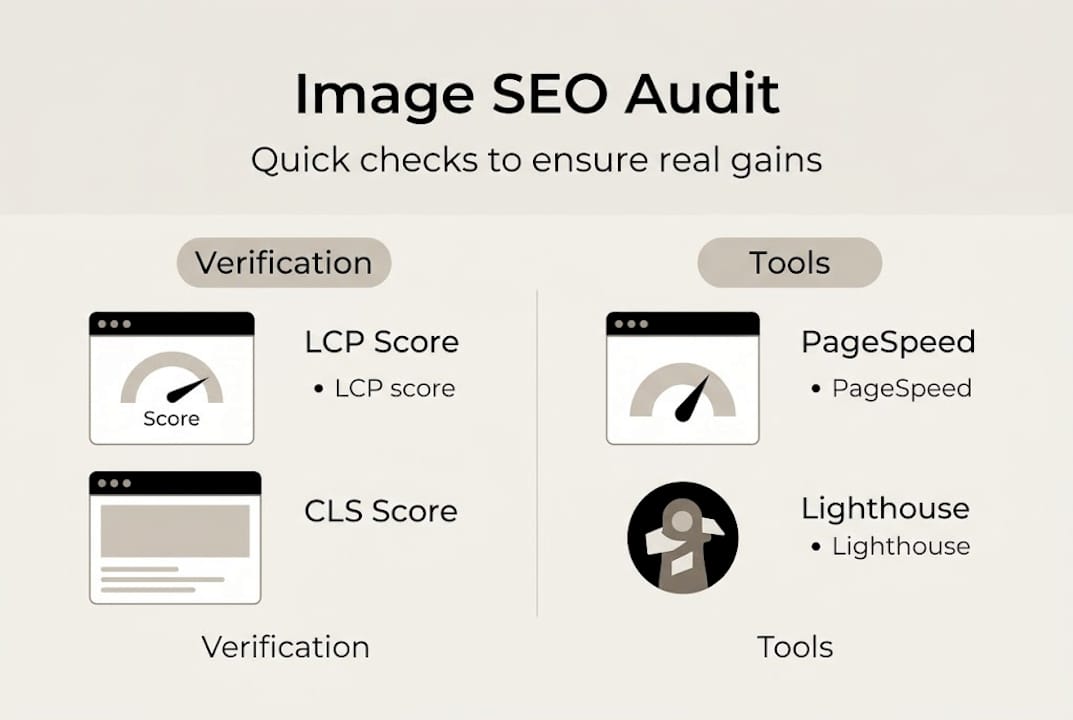
Start with PageSpeed Insights and Lighthouse to confirm your LCP and CLS scores have improved. Aim for LCP under 2.5 seconds and CLS under 0.1. Then check Google Search Console under the “Pages” section for any coverage issues that might prevent image indexing. GSC also shows which images are appearing in Google Image Search, giving you a traffic signal to track over time.
For JavaScript-heavy or lazy-loaded images, image sitemaps and structured data ensure discovery. Google cannot always crawl images loaded dynamically by JavaScript, so a sitemap acts as a direct roadmap. Image sitemaps combined with ImageObject schema also unlock rich results in Google Images, which drives additional referral traffic.
Common post-optimization mistakes to watch for:
- Alt text still missing on newly uploaded images added after the optimization sprint
- Format fallbacks not working correctly on older browsers (test on actual Android devices)
- Images over-compressed to the point of appearing blurry on retina screens
- Width and height attributes added to HTML but not matching the actual rendered size
- Lazy loading applied to the hero image, which delays LCP instead of helping it
Here is what the metrics often look like before and after a proper optimization pass:
| Metric | Before optimization | After optimization |
|---|---|---|
| Average image file size | 1.8MB | 85KB |
| LCP score | 6.2 seconds | 1.9 seconds |
| CLS score | 0.28 | 0.04 |
| PageSpeed mobile score | 34/100 | 78/100 |
| Images indexed in GSC | 40% of total | 95% of total |
For sites that rely heavily on mobile users, the ultimate mobile SEO guide offers additional verification steps specific to South African mobile browsing conditions.
Warning: Even one unoptimized image on your homepage can drag your LCP score into the “Needs Improvement” or “Poor” category, undoing the benefit of every other image you’ve fixed. Always verify the homepage last, after addressing all other pages.
Set a monthly reminder to run PageSpeed Insights on your homepage, top landing pages, and any new pages added that month. Image SEO is not a one-time task.
What most guides miss: the compounding effect of image SEO for South African businesses
Most guides treat image optimization as a checklist item: do it once, move on. That framing undersells what’s actually happening when you get this right consistently.
Image optimization is one of the few SEO activities where the gains genuinely compound. A faster page earns better Core Web Vitals scores. Better scores push rankings up. Higher rankings bring more traffic. More traffic means more behavioral signals to Google, which reinforces rankings further. One business we worked with in Johannesburg saw their organic mobile traffic grow by 40 percent within three months of a full image optimization pass, without any additional link building or content work.
The mobile-heavy traffic in South Africa makes this compounding effect more pronounced than in many other markets. When your competitors are loading 2MB hero images and you are loading 70KB WebP files, you are not just faster. You are visibly better to Google’s crawlers, to users on limited data, and to the conversion metrics that determine whether a visitor becomes a customer.
Most businesses also underestimate how quickly a single careless upload can undo weeks of careful optimization. One team member uploading a raw photo from a smartphone can spike your LCP by four seconds overnight. Making mobile optimization a fixed part of your site update process, not a project you do once, is the real differentiator.
Pro Tip: Add a “pre-upload image checklist” to your content workflow. Before any image goes live, confirm it is renamed, compressed under 100KB, in WebP format, and has alt text written. Thirty seconds of checking saves hours of recovery later.
The businesses winning local search in South Africa in 2026 are not necessarily the ones with the biggest budgets. They are the ones who treat technical fundamentals, including images, as ongoing business operations rather than one-off fixes.
Level up your SEO with expert help
If you’re serious about dominating search and leaving competitors behind, consider professional SEO assistance. Image optimization is one piece of a broader strategy that, when managed well, delivers measurable and lasting results.
At Local SEO Agency, we offer a full SEO optimization service that includes technical image audits, format conversion, alt text strategy, and Core Web Vitals improvement as part of every engagement. Our affordable SEO services are designed specifically for South African SMBs who need real results without enterprise-level budgets. Whether you’re starting from scratch or refining an existing site, our SEO packages for South African businesses include hands-on image optimization as a core deliverable. Reach out today for a free consultation and see what a professionally optimized site can do for your search visibility.
Frequently asked questions
What is the ideal image size for SEO?
Aim for under 100KB per image and use responsive dimensions tailored to your specific site layout. Smaller files load faster and directly improve your Core Web Vitals scores.
Should I use WebP or AVIF for my website images?
AVIF offers superior compression but has limited browser support, especially on older devices. Use AVIF as your primary format and always include a WebP or JPEG fallback via the HTML <picture> element.
How do I write good alt text for SEO?
Describe the image in 5 to 15 words, including relevant location or service detail where it fits naturally. Meaningful alt text helps both screen readers and search engines understand your content without stuffing keywords unnaturally.
How can I check if my images are hurting my SEO?
Run your site through PageSpeed Insights and review the Opportunities section for image-specific warnings. Audit tools like PageSpeed Insights and Google Search Console together give you a complete picture of image-related SEO issues.
Are image sitemaps or structured data really necessary?
For large sites or pages using lazy loading or JavaScript to render images, yes. Image sitemaps and structured data ensure Google can discover and index your images, and they can unlock rich results in Google Images that drive additional traffic.
Recommended
- Optimising Images for SEO: A Step-by-Step Guide
- Elevate Your Brand with Effective SEO Optimization Strategies – LSA SEO Agency
- Optimize websites for South African businesses 2026
- How to improve Google rankings: proven SEO steps for SA SMEs
source https://localseoagency.co.za/image-optimization-seo-step-by-step-guide-south-africa/




No comments:
Post a Comment