Most South-African small businesses miss out because over 60 percent of local searches lead to customer visits from visual results. For South-African owners eager to stand out online, understanding how images impact search rankings is both powerful and practical. This guide reveals clear steps to assess and optimise every image on your website, giving you a competitive edge in attracting local customers who are ready to buy.
Table of Contents
- Step 1: Assess Existing Images For SEO Suitability
- Step 2: Select Appropriate Image Formats And Sizes
- Step 3: Resize And Compress Images For Faster Loading
- Step 4: Add Descriptive File Names And Alt Text
- Step 5: Implement Structured Image Markup For Local Relevance
- Step 6: Test Image Performance And SEO Impact
Quick Summary
| Key Point | Explanation |
|---|---|
| 1. Assess image quality and relevance | Review all images on your website to ensure they meet quality standards and add value to your content. |
| 2. Choose optimal image formats | Utilize formats like WebP for compression and clarity, ensuring they are appropriate for the type of image being used. |
| 3. Resize images for faster loading | Match image dimensions to display size and compress files to enhance loading speed and overall website performance. |
| 4. Use descriptive file names and alt text | Create meaningful file names and alt text to improve search engine visibility and accessibility for users with disabilities. |
| 5. Implement structured image markup | Enhance local SEO by adding metadata related to location and context to your images, helping search engines categorize your content better. |
Step 1: Assess existing images for SEO suitability
When optimising your website for search engines, evaluating your current image assets becomes crucial. This step involves systematically reviewing all images to determine their search engine and user experience potential.
Begin by conducting a comprehensive image inventory across your website. Look for images that meet specific quality criteria by checking image relevance and performance carefully. Your assessment should focus on several key elements: image clarity, contextual appropriateness, file size, and alt text quality. Pay special attention to whether each image genuinely supports your content or serves a meaningful purpose.
Carefully examine every image for these critical SEO characteristics: resolution quality, file format compatibility, descriptive alt attributes, and thematic alignment with surrounding content. Websites with strategically chosen images often experience better user engagement and improved search rankings. Remove or replace images that do not contribute positively to your site experience.
Expert Advice: Create a simple spreadsheet tracking each image’s SEO performance to streamline your optimisation process and identify quick improvement opportunities.
Step 2: Select appropriate image formats and sizes
Choosing the right image format and size is critical for optimising your website performance and search engine visibility. This step involves understanding the technical nuances of different image formats and their impact on site speed and user experience.
Your primary goal is selecting image formats that balance quality and performance. Image format selection should consider several key factors: compression type, browser compatibility, and visual clarity. For most web images, WebP offers superior compression and quality compared to traditional formats like JPEG and PNG. Photographs typically work best with JPEG, while graphics with transparency benefit from PNG or WebP formats. Modern websites increasingly prefer WebP and AVIF formats for their excellent compression and high visual fidelity.
When sizing images, aim for the smallest file size possible without compromising visual quality. Resize images to match their display dimensions precisely to reduce unnecessary data transfer. Large images automatically scaled down by browsers consume more bandwidth and slow page loading times. Compress images using tools that maintain visual integrity while significantly reducing file size.
Here’s a quick comparison of popular web image formats and their ideal uses:
| Format | Best Use Cases | Compression Type | Browser Support |
|---|---|---|---|
| JPEG | Photographs, complex images | Lossy | Universal |
| PNG | Graphics, transparency | Lossless | Universal |
| WebP | Photos, graphics | Lossy/Lossless | Most modern browsers |
| AVIF | High quality, small size | Lossy/Lossless | Latest browsers |
Expert Advice: Use responsive image techniques that serve different sized images based on device screen dimensions to optimise performance across various devices.
Step 3: Resize and compress images for faster loading
Reducing image file sizes is a crucial step in improving your website performance and search engine rankings. This process helps minimise bandwidth usage and accelerates page loading times that directly impact user experience and SEO performance.
Understanding image compression techniques allows you to strategically reduce file sizes while maintaining visual quality. There are two primary compression methods: lossy and lossless. Lossy compression removes some image data to significantly reduce file size but may slightly reduce image quality. Lossless compression preserves all original image details while still reducing file size. Professional tools like Adobe Photoshop, GIMP, and online compressors can help you achieve optimal results.
To effectively resize and compress images, start by determining the maximum display dimensions required on your website. Aim to create images that match these exact dimensions to eliminate unnecessary pixels. Use automated tools that can batch process multiple images simultaneously, ensuring consistent quality and size across your site. Always preview compressed images to confirm visual integrity before uploading.
Expert Advice: Test your website loading speed after image optimisation using tools like Google PageSpeed Insights to verify performance improvements.
Step 4: Add descriptive file names and alt text
Optimising your images for search engines and accessibility requires strategic file naming and descriptive alternative text. These elements help search engines understand your image content and improve user experience for individuals using assistive technologies.
When creating alt text guidelines, focus on crafting concise yet meaningful descriptions that accurately represent the image. Avoid generic phrases like ‘image of’ and instead provide specific details about the image content, function, and context. For example, instead of ‘dog’, use ‘golden retriever playing fetch in local park’. Aim to keep alt text under 125 characters while ensuring it provides comprehensive information. File names should similarly be descriptive and use lowercase letters with hyphens separating words for optimal readability and SEO performance.
Incorporate relevant keywords naturally into your alt text and file names without resorting to keyword stuffing. Each image description should provide genuine value to users and search engine algorithms. Consider the primary purpose of the image and describe what a person would understand if they could not see the visual content. This approach ensures both accessibility compliance and improved search engine visibility.
Expert Advice: Create a consistent naming convention for your images that includes relevant descriptors and helps track image usage across your website.
Step 5: Implement structured image markup for local relevance
Structured image markup helps search engines understand the context and geographic significance of your visual content, which is particularly important for local businesses seeking to improve their online visibility. By adding precise metadata and semantic information, you can enhance your images searchability and relevance.
Structured image markup techniques enable you to provide additional context about each image beyond what is visible. This includes embedding location details, business information, and thematic metadata that helps search engines better categorise and display your images in local search results. Use schema markup to include specific details like the city, region, business name, and geographic coordinates associated with each image.
Focus on creating rich metadata that accurately represents your local business context. Include information such as the specific location where an image was taken, the business it represents, and any relevant geographical attributes. This approach not only improves your local SEO performance but also helps potential customers find your content more easily when searching for location specific information.
Expert Advice: Use Google’s Structured Data Testing Tool to validate your image markup and ensure maximum compatibility with search engine requirements.
Step 6: Test image performance and SEO impact
Measuring your image optimization efforts is crucial for understanding how visual content contributes to your website’s search engine performance. This final step involves comprehensive testing to validate the effectiveness of your image SEO strategies.
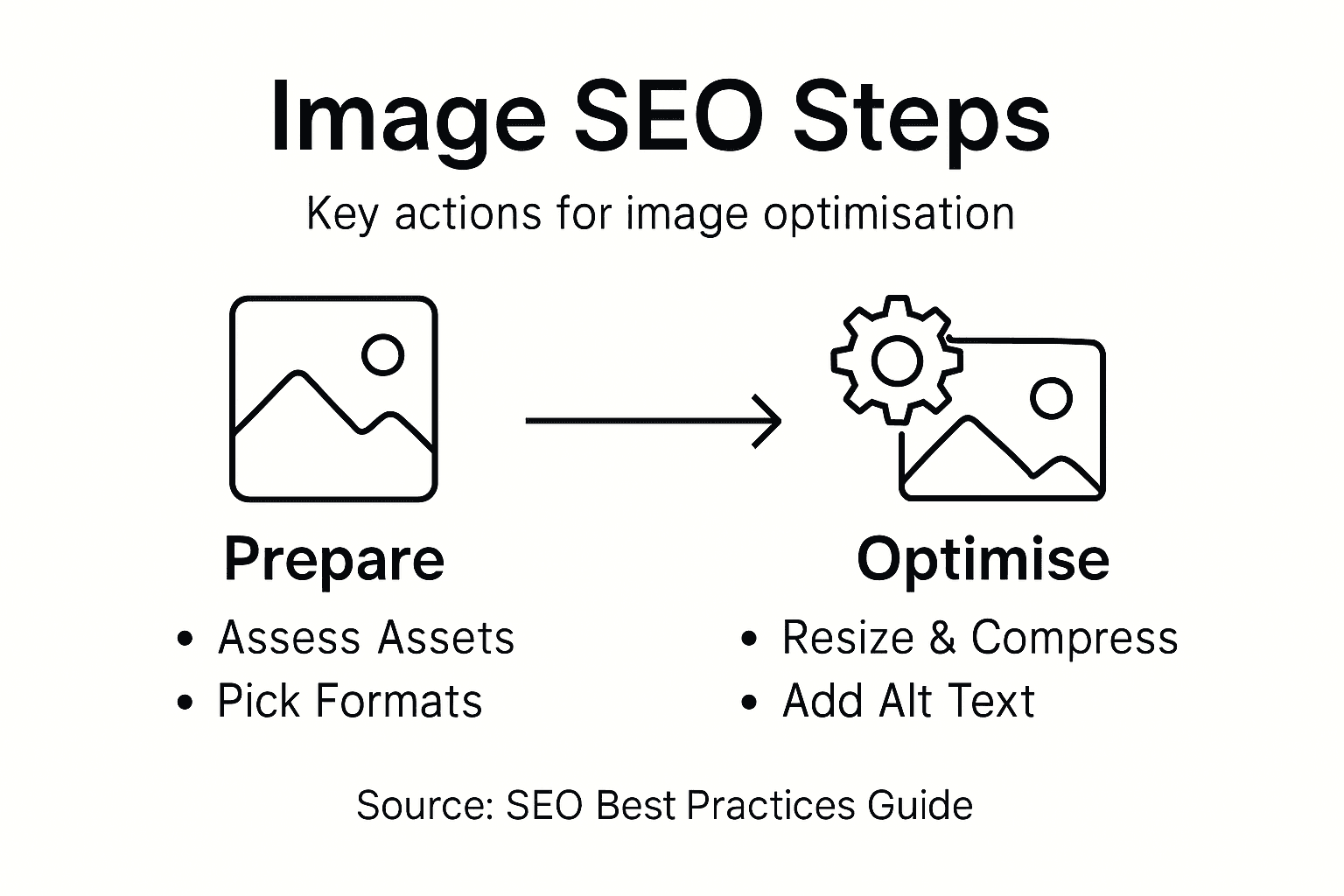
Image performance metrics provide insights into how well your visual content supports overall website performance. Begin by using tools like Google PageSpeed Insights, Google Search Console, and Web Vitals to analyse loading times, user engagement, and search visibility. Pay special attention to metrics such as Largest Contentful Paint (LCP), which measures how quickly your primary image content loads, and Cumulative Layout Shift (CLS), which evaluates visual stability during page rendering.
Conduct systematic tests to track improvements in organic search traffic, image search rankings, and user interaction rates. Compare your website’s performance before and after image optimization, looking for increases in click through rates, reduced bounce rates, and enhanced user engagement. Consider using analytics platforms that offer detailed visual content performance tracking to gain comprehensive insights into your image SEO effectiveness.
For reference, here are key performance metrics to track image SEO impact:
| Metric | What It Measures | Business Impact |
|---|---|---|
| Largest Contentful Paint | Speed of main image loading | Improved user experience |
| Cumulative Layout Shift | Visual stability on load | Lower bounce rates |
| Organic Image Clicks | Clicks from image search | Increased site traffic |
| Conversion Rate | User actions from image pages | Higher sales/leads |
Expert Advice: Create a quarterly image performance review process to continuously monitor and refine your visual content strategy based on empirical data.
Boost Your Local SEO with Expert Image Optimisation Support
Struggling with slow website loading times or poor image SEO ranking despite following best practices like resizing, compressing, and adding descriptive alt text Your business organisation deserves tailored solutions that make your images drive traffic not hold you back. At Local SEO Agency, we understand the critical impact of image optimisation on user experience and search visibility for South African businesses. We help you assess your current visuals for SEO suitability and implement advanced structured markup that enhances your local search relevance.
Take control of your website’s performance and give your images the strategic boost they need. Contact our team today to receive customised advice and hands-on optimisation services that improve Largest Contentful Paint scores, reduce bounce rates, and increase conversions. Don’t miss out on turning your image assets into powerful local SEO rankings. Reach out now via our contact page and start transforming your online presence.
Frequently Asked Questions
How do I assess the SEO suitability of my existing images?
To assess the SEO suitability of your existing images, conduct a comprehensive inventory of all images on your website. Focus on their clarity, file size, alt text quality, and whether they support your content meaningfully, then create a spreadsheet to track their SEO performance.
What image formats should I choose for optimal website performance?
For optimal website performance, use formats like WebP for most images, as it offers superior compression. Keep graphics that require transparency in PNG format, and use JPEG for photographs to ensure high quality while maintaining smaller file sizes.
How can I resize and compress images effectively for my website?
To resize and compress images effectively, determine the maximum display dimensions on your site and create images matching those exact dimensions. Aim for the smallest file size possible without sacrificing quality; consider using batch-processing tools to streamline the resizing process.
What should I include in the alt text and file names of my images?
In the alt text and file names, include concise descriptions that accurately represent the image content and context, avoiding generic phrases. Use keywords naturally, keeping file names lowercase with hyphens separating words to enhance readability and SEO performance.
How do I implement structured image markup for improved local SEO?
To implement structured image markup, add precise metadata about your images, such as location details and business information. Use schema markup to convey geographic relevance, helping search engines categorize your images for better visibility in local search results.
What metrics should I track to measure the SEO impact of my images?
Track metrics like Largest Contentful Paint (LCP) and Cumulative Layout Shift (CLS) to measure image loading speed and visual stability. Regularly review these metrics alongside organic traffic and click-through rates to gauge the effectiveness of your image optimisation efforts.
Recommended
- Image SEO Optimization for Google | Technical SEO Guide
- How to Improve Site Speed for SEO | Technical SEO Guide
- 7-Step SEO Checklist for Small Businesses Success
- Proven SEO Content Writing Examples for Increased Visibility – LSA SEO Agency
- What is Search Optimisation? A Detailed Understanding – Jarrod Harman
source https://localseoagency.co.za/optimising-images-for-seo-step-guide/



No comments:
Post a Comment